- 01
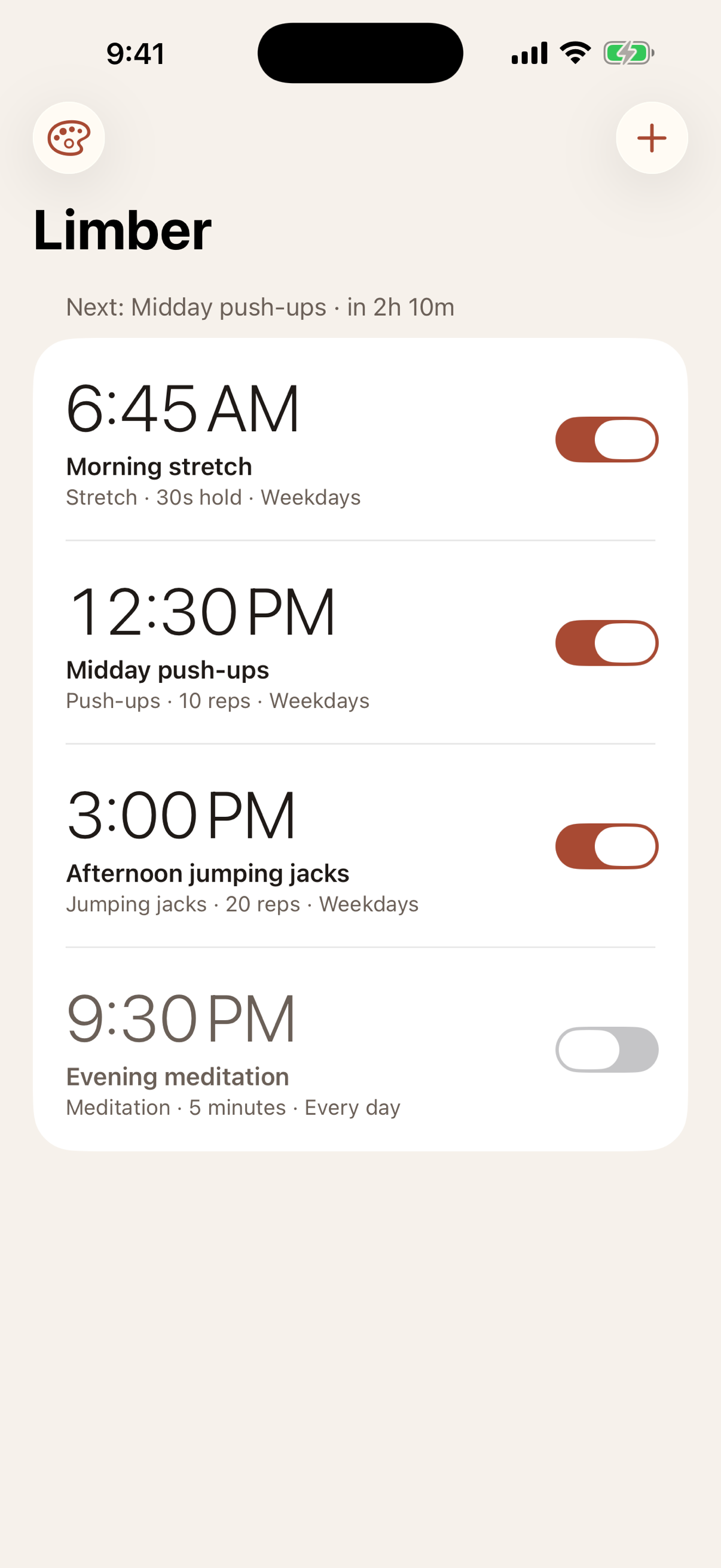
Set alarms through the day
Add up to 10 alarms, each with its own time, repeat days, move, goal, and sound: a morning stretch, midday push-ups, an evening meditation. The next one waits at the top, with a Move now button if you’d rather not wait.

- 02
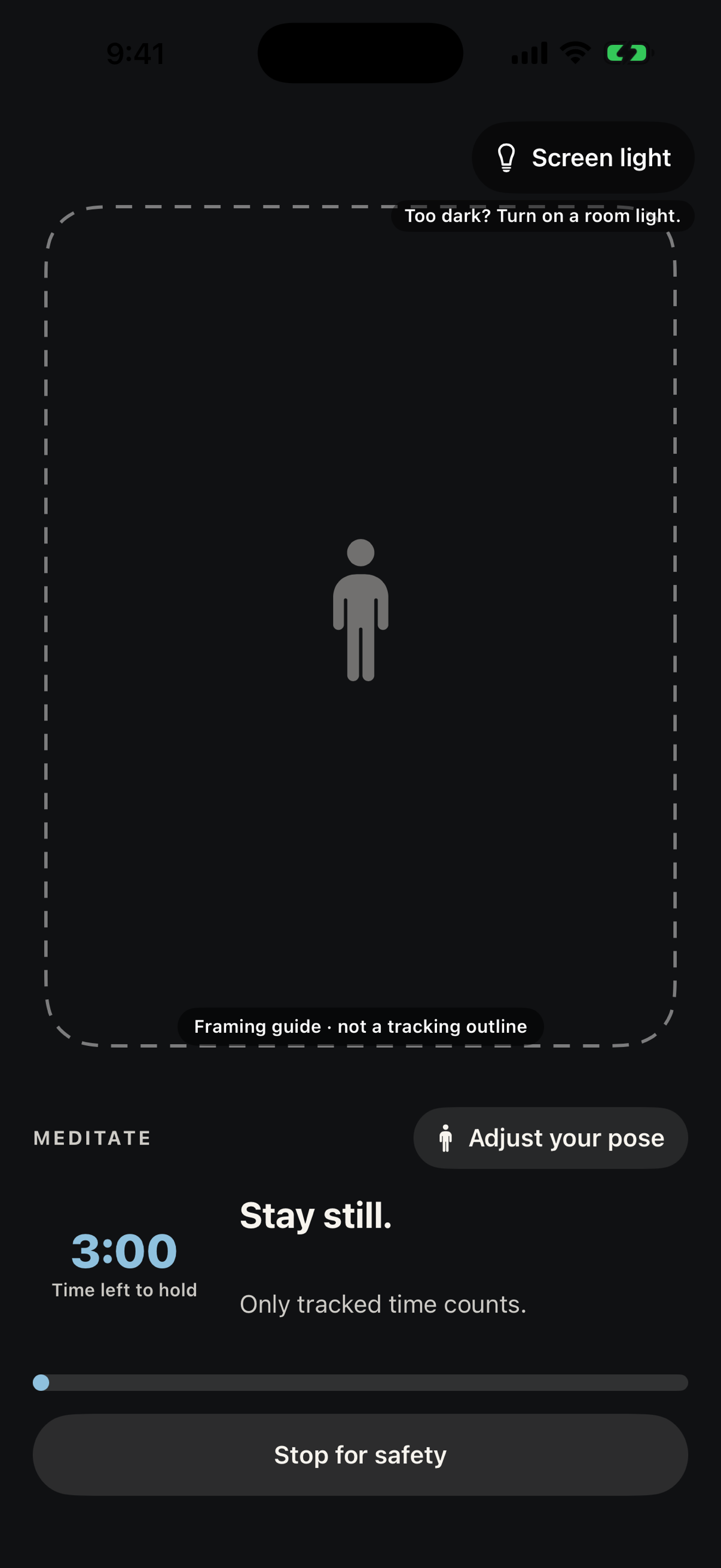
When it rings, start your move
Tap Start Limber. A greeting, the time, and your move, then the camera opens by itself. Set your phone where it can see you.

- 03
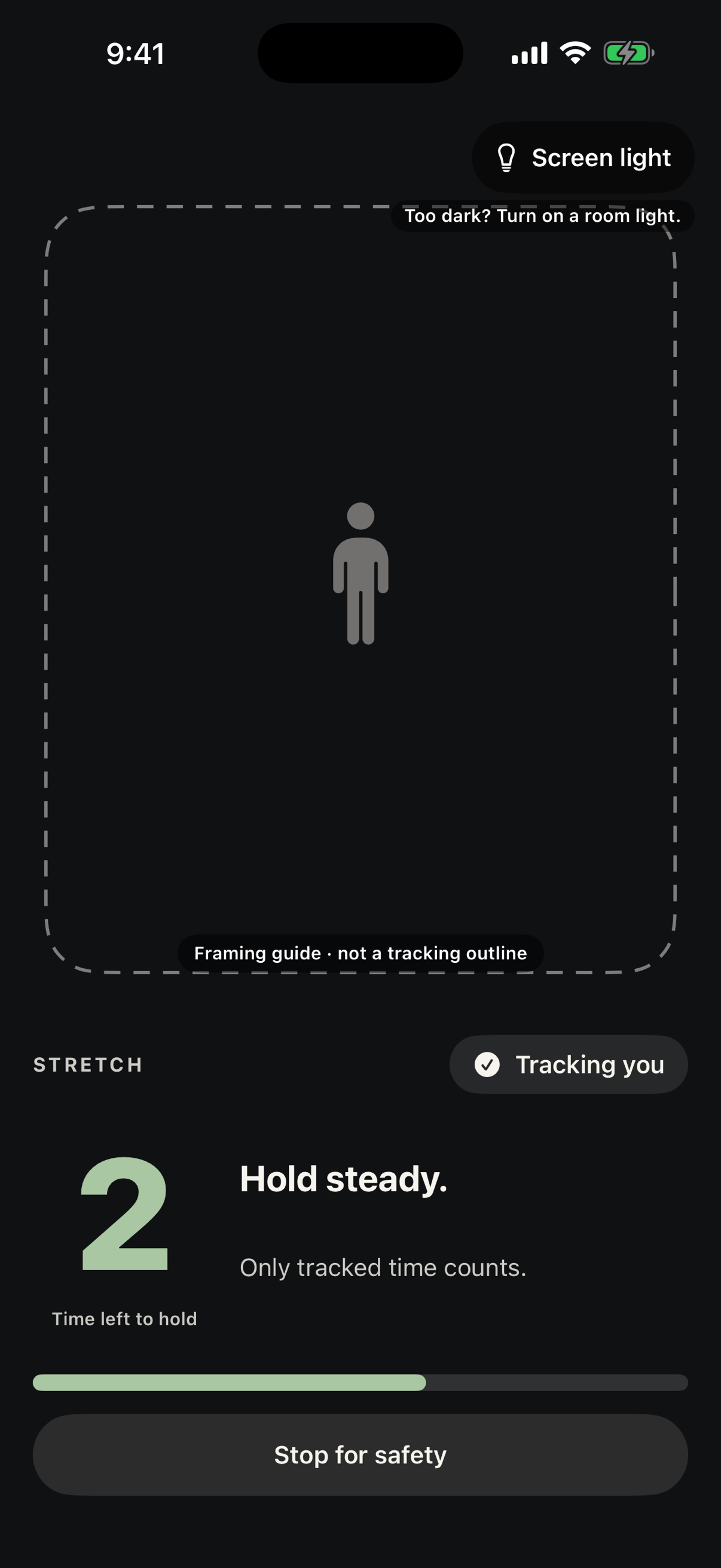
The camera checks it, the alarm stops
Limber counts your hold time or reps on-device. Reach your goal and the alarm stops. Stop for safety is always there if you need it.

- 04
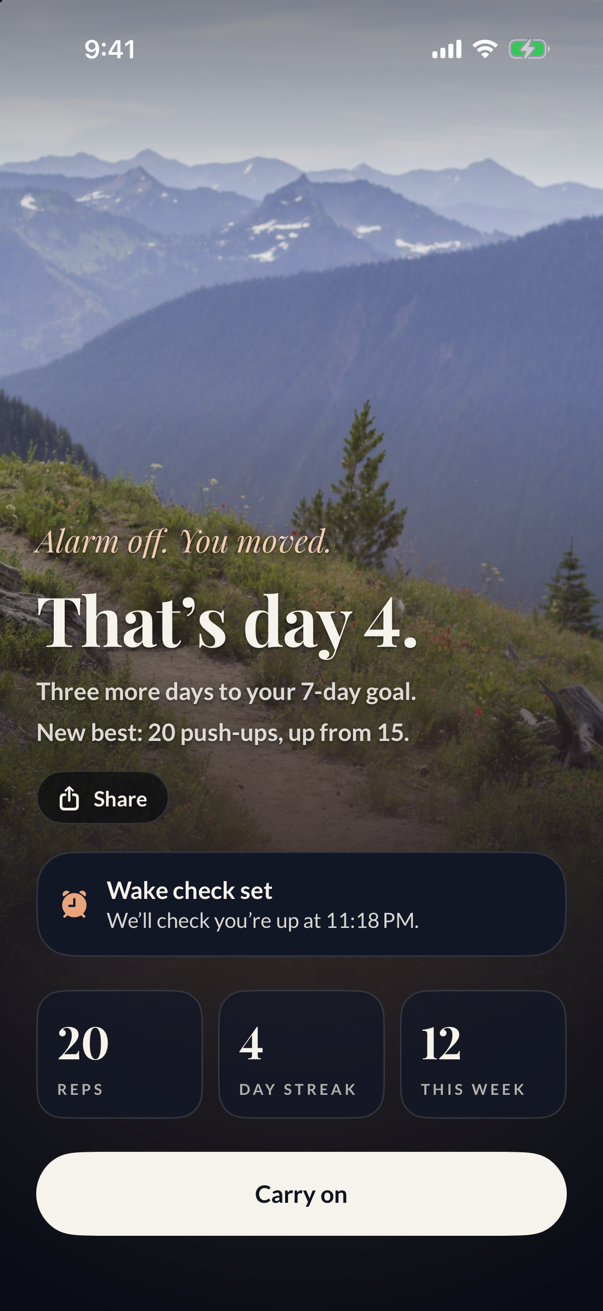
Alarm off. You moved.
See your reps or hold, your streak, and your week. Then carry on with your day.


Good morning.
Movement and meditation alarms
When it rings,
you move.
Set alarms through the day for a stretch, push-ups, squats, jumping jacks, a plank, sit-ups, lunges, or a few minutes of meditation. When one rings, your phone’s camera checks you did the move, then the alarm stops. Lights off? Your phone’s sensors count it instead.
Made for iPhone · iOS 26 or later, and Android 10 or later.
Sunrise over Crater Lake · National Park Service
How it works
From the alarm
to the move.
Pick a move for each alarm. When it rings, Limber checks it with your camera, right on your phone.
The camera check runs on your phone; nothing the camera sees is recorded, saved, or uploaded. If the camera can’t see you, Limber switches to dark-room mode, or Use manual backup lets you hold a button for 15 seconds instead. Test your first alarm with your phone locked before relying on Limber.
Works in the dark
Lights off. Still counts.
No light?
No problem.
Six in the morning, curtains closed, someone still asleep. When the camera can’t see you, Limber offers to switch and then does it on its own: your phone’s motion and proximity sensors count the move instead. Nothing is recorded.
Squats & jumping jacks
Hold your phone against your chest. Each rep is counted from its motion.
Push-ups
Phone face up on the floor under your chest. Each one that comes down close counts.
Stretch
Phone over your head, screen down, arms straight. Hold it steady.
Meditate
Phone in your lap or hand. Time counts while you stay still.

Five moves
Counted
for you.
Each alarm gets one move and a goal you choose. Start small; Limber suggests a little more once a move feels easy.
Stretch
Arms overhead, held steady. Only tracked time counts.
Hold for secondsSquats
Down and back up, counted one at a time.
RepsPush-ups
Full or from your knees. Each one down and up counts.
RepsJumping jacks
A quick way to get your heart going.
RepsMeditate
Sit, breathe, stay still for the minutes you pick.
Minutes
Private by design
Checked on
this phone.
Camera frames are processed on-device and never recorded, saved, or uploaded. Read the privacy notice.
- No accountOpen it and set an alarm
- No adsNothing sold, nothing shown
- No analyticsYour alarms and history stay on your phone
Find your alarm sound
A softer place
to start.
Nine tones to explore. Tap for a 10-second sample, and choose the one you enjoy.
In the app you pick a sound for each alarm: these nine tones, six classic alarm sounds, or your phone’s default. Names describe the sounds; they are not health claims.
Restoration
Grounding
New Beginnings
Soft Focus
Love & Connection
Inner Calm
Awaken Intuition
Stillness
Samples play only when you press Play. Start with your volume low.
Pricing
Make it part
of your day.
Three ways to get Limber. All three plans include the same features; choose monthly, yearly, or one-time billing.
Monthly
$1.99 / month
7-day free trial if eligible, then billed monthly.
Auto-renewing subscriptionYearly
$15 / year
7-day free trial if eligible, then billed yearly. $14.99 on Google Play.
Auto-renewing subscriptionLifetime
$54.99 once
One purchase for ongoing access. No trial.
One-time, non-renewing purchaseOn iPhone, the 7-day free trial is Apple-managed and available to eligible new subscribers on the monthly and yearly plans. Apple allows one introductory trial per subscription group. The trial starts only after you approve Apple’s purchase sheet. After the trial, your selected plan auto-renews unless canceled through Apple at least 24 hours before the trial or current billing period ends.
On Android, the seven-day free trial is managed by Google Play and available to eligible new subscribers on the monthly and yearly plans. The trial starts only after you approve Google Play’s purchase screen. After the trial, your selected plan auto-renews unless you cancel in Google Play before the trial or current billing period ends.
Prices shown are in US dollars (USD); localized App Store prices and the terms in Apple’s purchase sheet are authoritative on iPhone, and Google Play’s prices and purchase screen are authoritative on Android. Availability may vary by region.
Lifetime has no trial and does not renew. Buying lifetime does not cancel an existing subscription; manage or cancel it separately through Apple or Google Play.
There is no website checkout: you choose a plan in the app and pay through Apple or Google Play. On iPhone, manage or cancel a subscription in iOS Settings → your name → Subscriptions, use Restore Purchases on the Plans screen, and request refunds through Apple’s Report a Problem. On Android, manage or cancel in the Google Play app → your profile picture → Payments & subscriptions → Subscriptions, use Restore purchases in Limber, and request refunds through Google Play’s refund page.
If your access ends, alarms you already scheduled and their repeats keep working, and safety controls stay available. Adding or changing alarms needs an active plan.

Get Limber
Make your next
alarm a move.
Limber: Movement Alarms is for iPhone with iOS 26 or later and Android 10 or later. Choose a plan in the app; eligible new subscribers can start with a 7-day free trial on the monthly or yearly plan.
Invite a friend
Know someone who’d like a little more movement in their day? Send them a note with the App Store and Google Play links.
You choose who to send it to. Limber does not access your contacts.
Read or copy the invitation
Your first day
- Install Limber from the App Store or Google Play and tap Allow alarms when asked.
- Add an alarm: pick a time, a move and a goal, and tap Save.
- Tap Test my alarm, lock your phone, and make sure you hear it. The help page walks you through it.
Keep a backup for what mattersFor wake-ups you can’t miss, keep a backup alarm in your phone’s Clock app until you’ve tested Limber on your own phone.
How do I get Limber?
Limber is on the App Store for iPhone with iOS 26 or later, and on Google Play for Android 10 or later. You can also search for “Limber: Movement Alarms”. You choose a plan in the app, and Apple or Google Play handles payment.
Does it use my camera?
Yes, to check your move. Camera frames are processed on-device (Apple’s Vision framework on iPhone, Google’s MediaPipe on Android) and are never recorded, saved, or uploaded. Limber has no accounts, ads, or analytics. Read the privacy notice for details.
What if my room is dark?
If the camera can’t see you, Limber offers to switch to dark-room mode and switches by itself after a few seconds; your phone’s motion and proximity sensors then count the move. Those readings are used only while the move is on screen and are never saved.
Can I stop an alarm without doing the move?
Yes. On iPhone, iOS always offers a Stop button that silences the alarm without the move; on Android, the ringing screen and its notification both have a Stop button. Stop for safety is always available inside Limber. Always put your comfort and safety first.
Can I rely on it for important wake-ups?
Test your alarm with your phone locked before relying on Limber, and keep a backup alarm for anything you can’t miss. Whether an alarm sounds depends on your phone’s settings, volume, and battery. The help page explains what to check.
Do the frequencies have health benefits?
These are sound options to choose by preference. Limber makes no medical or therapeutic claims about the tones, stretching, exercise, or meditation.